Private & Secure
My data and services remain under my control.
Self-Hosted · Flexible · Private
A self-hosted home lab environment powering projects, services and ideas — built for privacy, learning and real-world use.
Build · Learn · Experiment · Share
My data and services remain under my control.
Services are available whenever and wherever needed.
Tools designed to work, learn and collaborate.
New projects and services are continuously being explored.
About This Site
This is a personal self-hosted home-lab platform that powers various services, projects and experiments — from productivity tools to learning environments. It serves as a place to experiment, build and share useful resources with a focus on privacy, flexibility and continuous improvement.
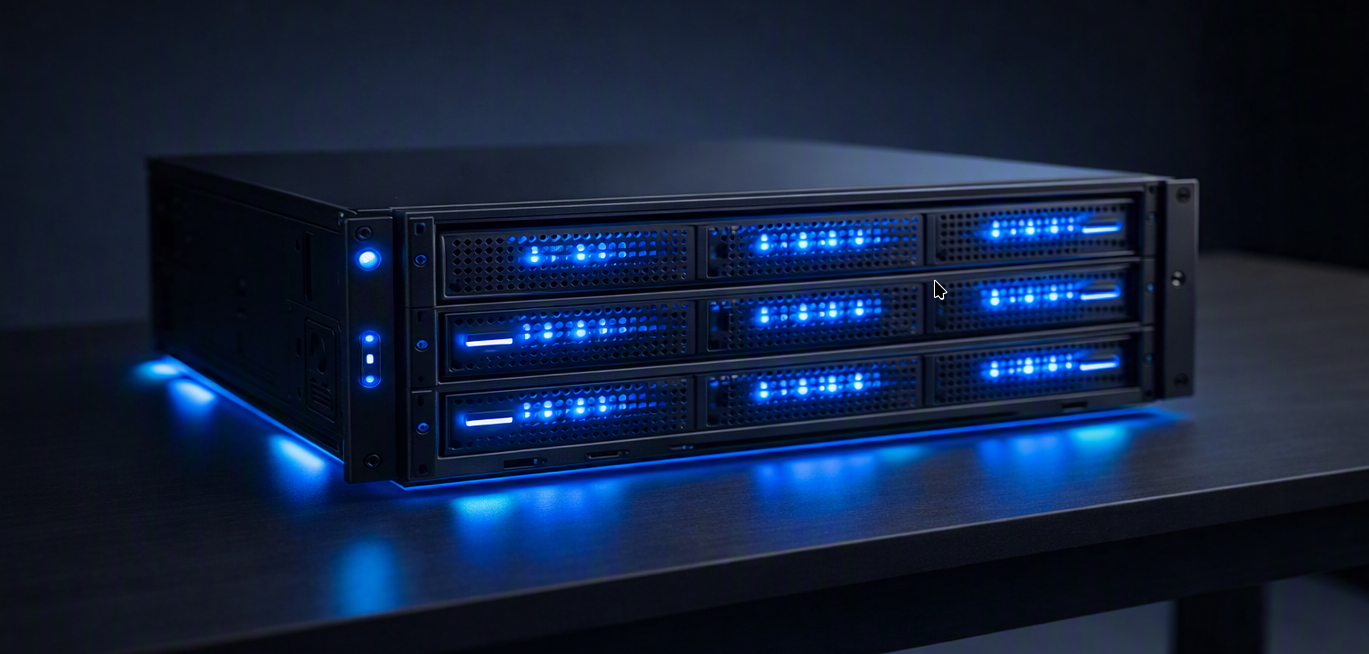
The Home-Lab Specifications
Self-Hosted Services
A collection of services running from the Home-Lab Proxmox infrastructure.

Private cloud storage and file management for everyday cloud backups.

Self-hosted video meetings and collaboration without relying on a third party.

A private AI workspace for experimenting with local and hosted models.
Email: guest@email.com,
Password: guest123.

Visual AI workflows for image generation, experiments and learning.

A central place for notes, guides, references and project knowledge.

Other tools used for my Home Lab, Only admin will have the access. So, stop guessing...
Projects
A selection of personal and self-hosted projects being explored.
Personal productivity tools, cloud storage and collaboration platforms running from home.
Scripts and workflows created to simplify recurring tasks and manage services.
Guides, notes and references collected for continuous technical learning.
Downloads
Download self developed applications.
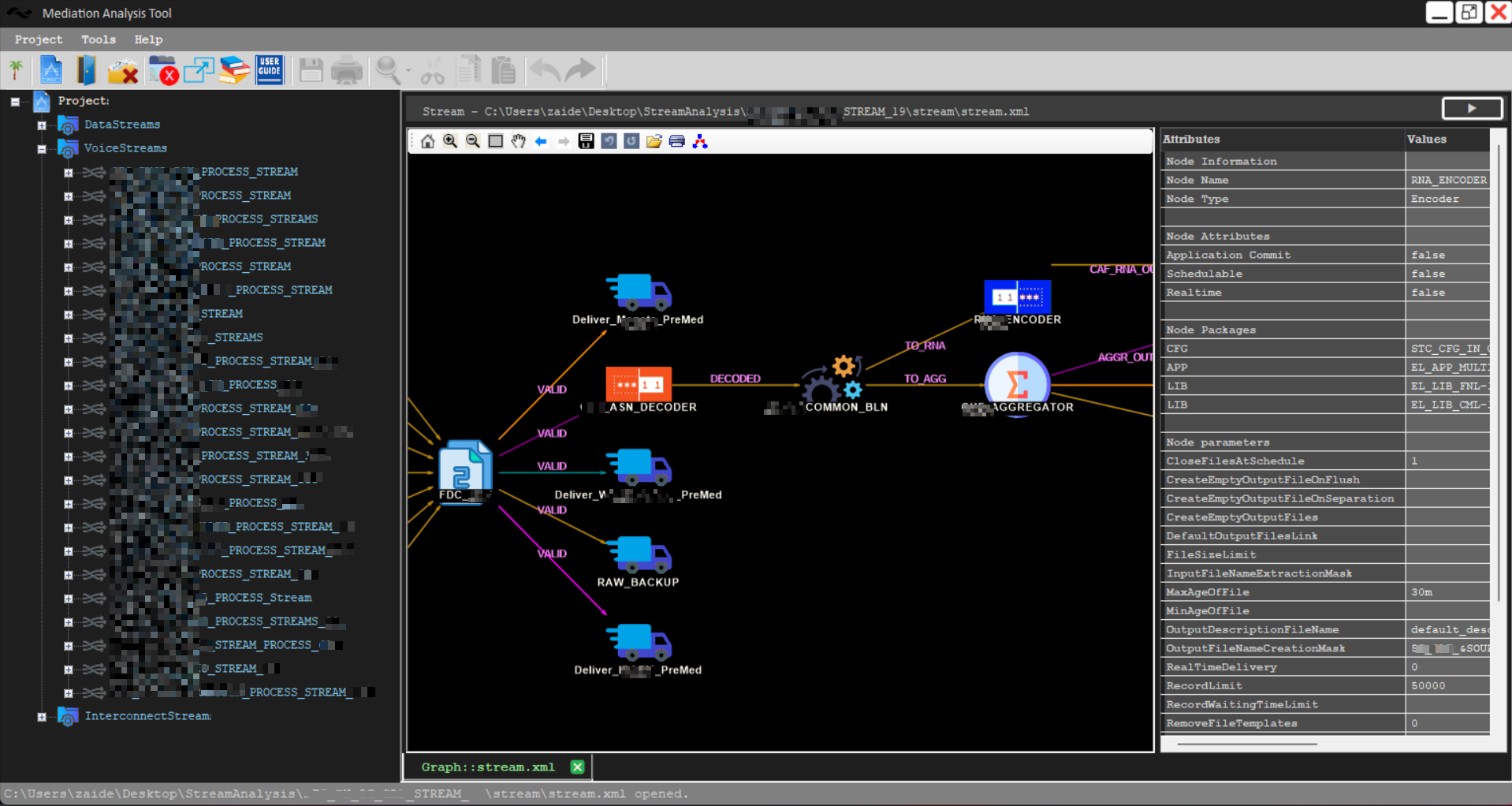
Personal mediation tool used to help out in analysis of existing logic to fulfill daily Mediation task. Provides capability to view complete stream with it properties, view node configurations, perform codes & files search, allows direct codes editing and lots more capabilities. Developed with C# and Windows Form using Visual Studio Community.
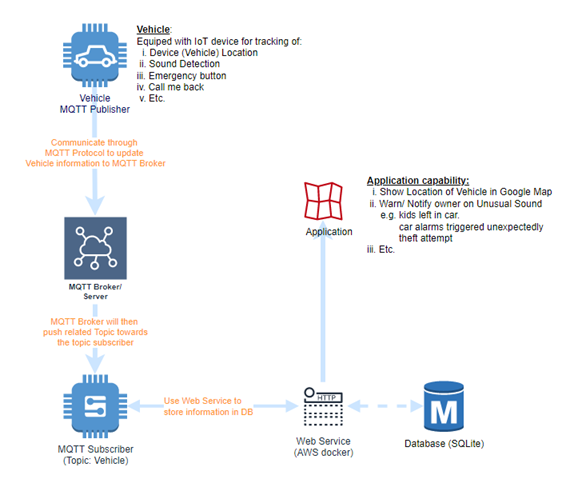
This is a simulator developed in C# using Winform for Vehicle Tracking. It uses MQTT protocol to keep track IoT device behavior and reporting it (publisher) to MQTT broker which then publish it to the subscriber (End User App).
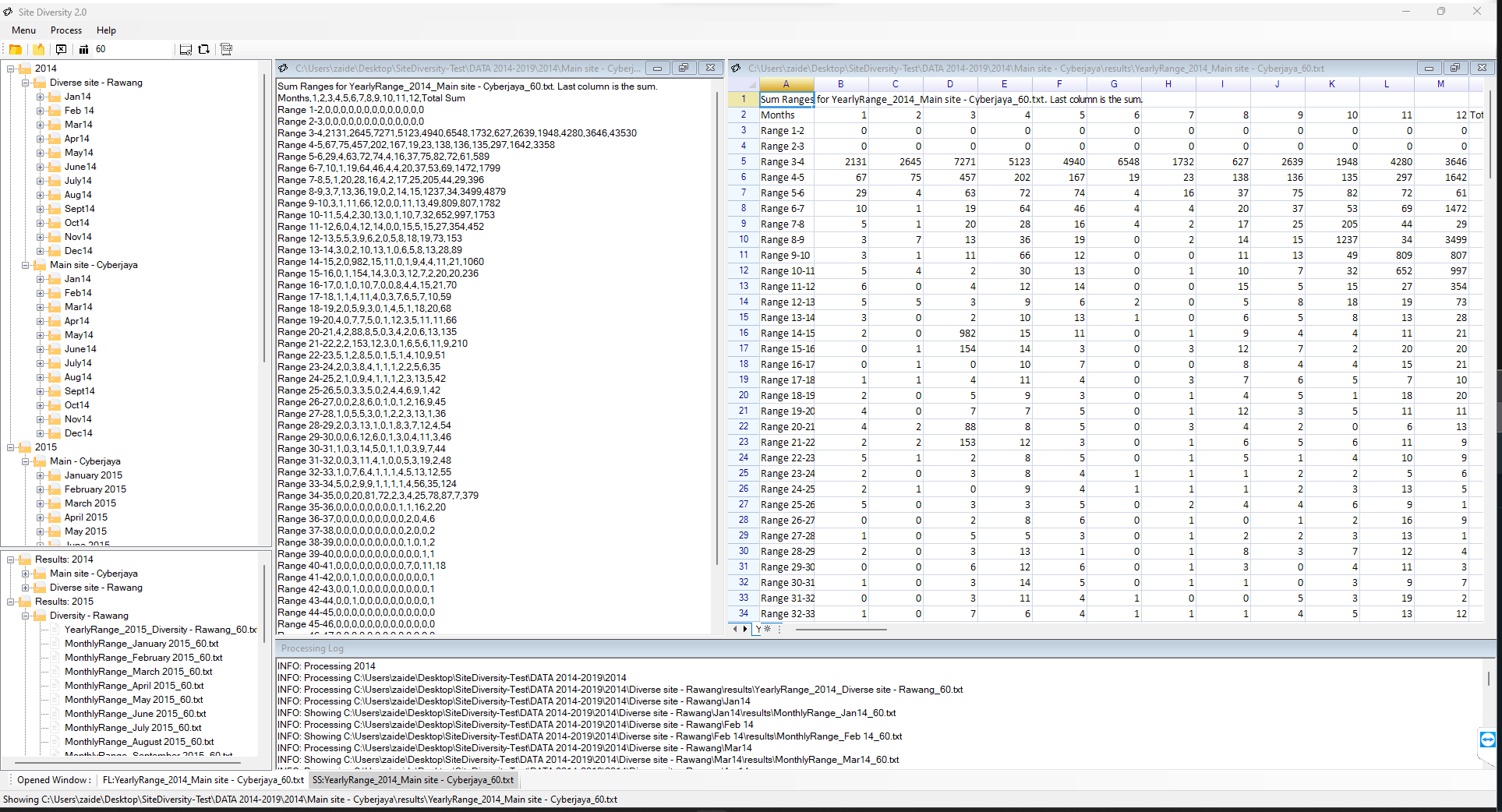
This is an analysis tool that collect inputs of rain & satellite signal strength information, extract it, process it and produce the summary of daily, monthly and yearly attenuation range to allows further research on site diversity algorithm generation. This application was originally develop as assistant tool for PhD candidate reasearch work. This application was developed using C# and Windows Form using Visual Studio Community.
Let's Connect
Feel free to reach out about projects, experiments, infrastructure, ideas or opportunities to collaborate.